Most video wall problems are decided before a panel is ordered. A wall that looks great on install day and frustrates everyone six months later usually traces back to a room that was never fully considered. Here is how we plan one, in the order we work through it.
Start with who is looking, and from where
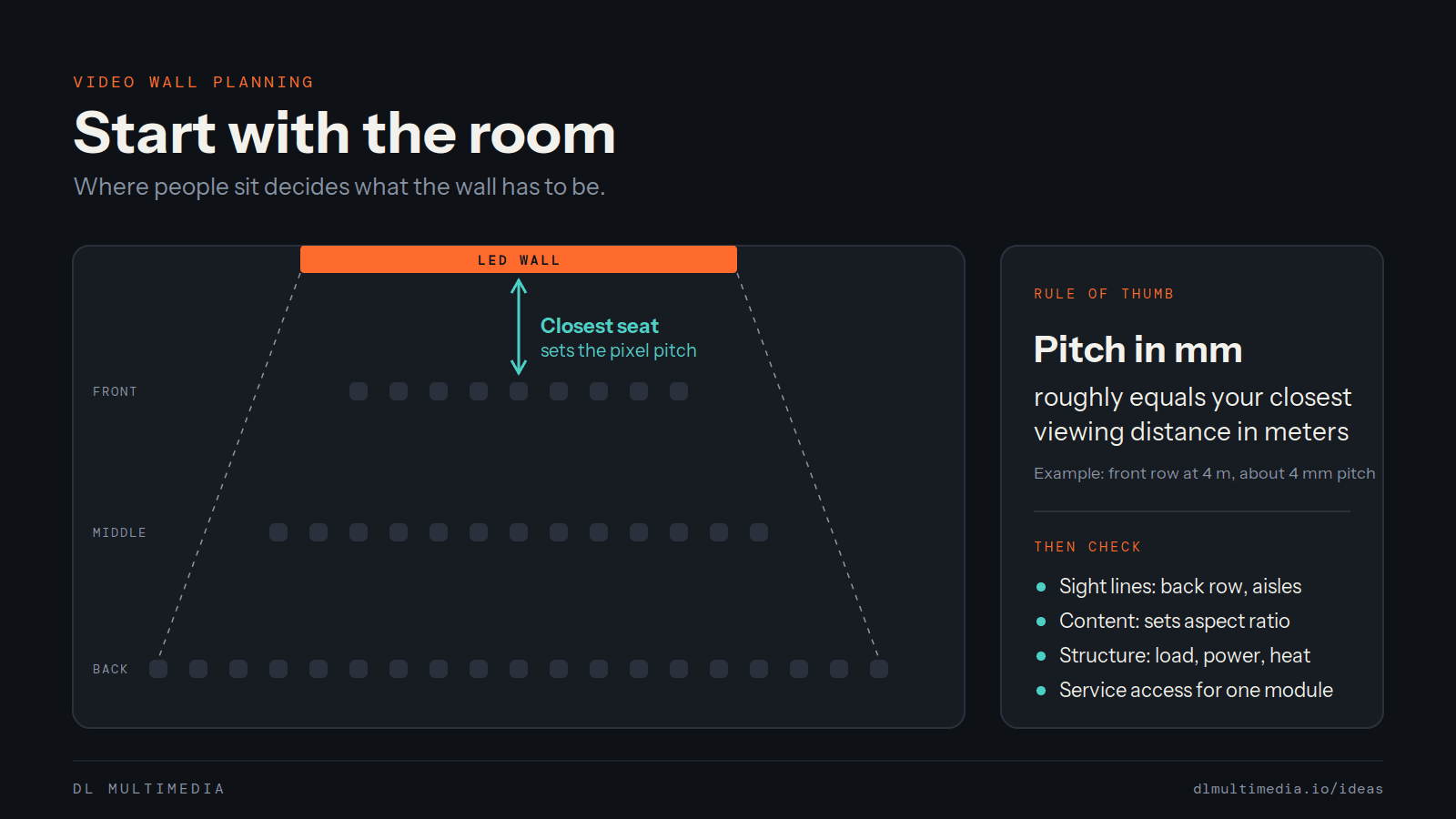
Walk the room and mark where people actually stand and sit. Viewing distance drives pixel pitch, and pixel pitch drives cost. A common rule of thumb is that the pitch in millimeters roughly matches the closest comfortable viewing distance in meters, so a wall seen from several meters away does not need the same panel as a lobby wall people walk right up to. Check sight lines too: the back row, the balcony, the side aisles, and anyone standing under a low ceiling.
Decide what will live on it
A video wall is a content channel, not a piece of hardware. Text-heavy announcements, live video, motion graphics and static brand imagery each ask something different of the screen. Settle the content before the specification, because aspect ratio, brightness and resolution should follow it. If a small team or a volunteer crew will make the content, plan for tools they can use on a normal Tuesday.
Look at the structure behind the wall
Video walls are heavy and they need power and ventilation. Open the wall, or review the drawings, and confirm what is behind it. Check the load the structure can carry, where power and data can run, and how heat will leave the cavity. This is the step most often skipped, and it is the one that changes budgets late in a project.
Plan service access on day one
Panels and power supplies fail eventually. Decide whether the wall will be serviced from the front or the rear, and make sure someone can reach a single module without taking the whole wall down. A wall you cannot service becomes a wall you replace.
Design the signal path so it can be diagnosed
Every source, processor and cable between the content and the panel is a place something can go wrong. Keep the path simple, label it, and document it. When the picture drops on a Sunday morning, the person on site should be able to find the problem in minutes.
Make daily operation boring
The best compliment a video wall can get is that nobody thinks about it. That means scheduled power on and off, content changes that take a few clicks, and a one page guide for whoever is in the building. Train the people who run it every week, not only the lead tech.
Questions to answer before you buy
Who will look at this wall, and from how far? What content will run on it, and who will make it? What does the wall mount to, and has anyone confirmed it can carry the load? How will a failed module be replaced? Who runs it on a normal week? If a vendor cannot answer these, the specification is not finished.
We took this approach on the LIIV video wall work, where systems were planned, installed, repaired and relocated across multiple campuses. You can see that project on our work page, or start a conversation about your own room.